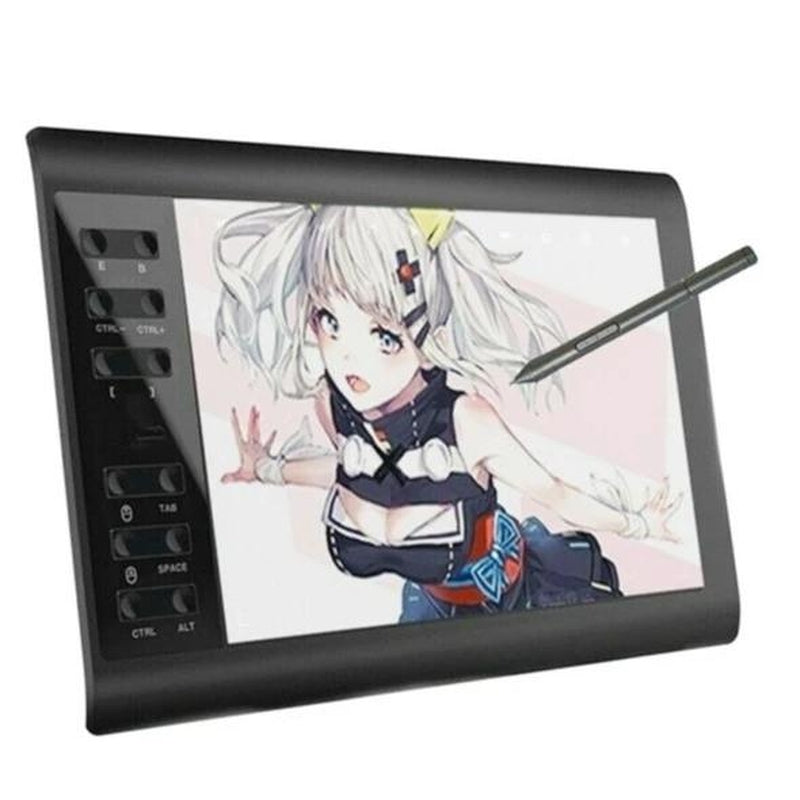
Advanced Digital Art Sketch Tablet, Graphics Drawing Pad
Advanced Digital Art Sketch Tablet, Graphics Drawing Pad
 Fast USA Shipping
Couldn't load pickup availability


Unleash Your Creativity with Our Large 10 x 6 Inch Digital Drawing Sketch Pad
Take your art to the next level with our digital drawing sketch pad, featuring a spacious 10 x 6 inches working area. The slim 10mm structure and minimalist design make it a stylish addition to your creative workspace. With this pad, you'll enjoy the perfect size to work comfortably and express your imagination.

Boost Your Productivity with 12 Customizable Shortcut Keys and 10 Multimedia Keys
Streamline your workflow with our digital drawing sketch pad, equipped with 12 customizable shortcut keys and 10 multimedia keys. These convenient features help you improve productivity and efficiency when creating with your favorite software, allowing you to focus on what matters most - your art.

Experience Precise Control with Our Battery-Free Stylus and 8192 Levels of Pressure Sensitivity
Enjoy uninterrupted creativity with our battery-free stylus, featuring ±60° tilt and 8192 levels of pressure sensitivity. This precise control allows for a wide range of line widths and styles, from delicate sketches to bold brushstrokes, making it perfect for artistic design and unique brush effects in photo retouching.

Seamless Compatibility with Most Operating Systems and Software
Our digital drawing sketch pad is compatible with a wide range of operating systems, including Windows 7 or later, macOS 10.11 or later, Android 4.4 or later, and Linux (Ubuntu). It also works seamlessly with popular software like Microsoft Word, Excel, PowerPoint, Photoshop, SAI, FlipaClip, MediBang, Adobe Illustrator, and more, making it an excellent tool for various creative tasks.

Easy to Install and Ideal for Various Jobs
Setting up our digital drawing sketch pad is a breeze. Simply connect it to your computer, install the driver, and you're ready to go. This versatile tool is perfect for online teaching, online classes, remote work, web conferences, presentations, and more, making it an excellent addition to your workflow.
Driver Installation Tips
- Before installation, please uninstall any other brand's driver and reboot your computer. Also, close all drawing programs when installing the driver.
- After connection, refer to the "Driver Installation" section in the User Guide to install the driver.
Connection Tips
- Connect to PC: Ensure your computer has a available USB port for connection. If not, use an adapter to convert for the connection.
- Connect to Android Phone: Use an OTG and USB cable to connect your Android phone.
Important Notices
- Please note that our digital drawing sketch pad is not a standalone product and requires connection to a computer, laptop, or Android phone to function.
- The mouse control function of the graphic drawing pad can be used as a mouse to operate some shortcut keys quickly when using design software. However, we recommend using it in conjunction with a mouse for optimal performance.

Specification
- Material: ABS
- Product Dimension: 14.2 x 9.5 x 0.31 inches
- Working Area: 10 x 6 inches
- Pressure Sensitivity: 8192 Levels
- Tilt: 60°
- Report Rate: 233 RPS (max)
- Reading Resolution: 5080 LPI
- Ports Included: USB
Package Includes
Pen Holder *1
Pen *1
Professional Artist Digital Drawing Sketch Pad *1
Pen Refill *8